

Automate Email Inbox Using ChatGPT and Zapier:- In the modern professional landscape of the United States, time is the most valuable currency. Whether you are a small business owner in California or a corporate executive in New York, the daily struggle with a cluttered inbox is a shared reality. However, the rise of Artificial Intelligence has brought a revolutionary solution. Today, if you want to stay ahead of the curve, you must learn how to automate email inbox using ChatGPT and Zapier.


This guide will walk you through the entire process of setting up an AI-driven workflow that doesn’t just filter your emails but understands them, drafts replies, and organizes your professional life with surgical precision.
The Evolution of Email Management
For years, we relied on simple rules and filters. If an email had the word “Invoice,” it went to the finance folder. But traditional filters are “dumb”—they cannot understand sentiment or urgency. This is where the need to automate email inbox using ChatGPT and Zapier becomes essential.
By integrating the natural language processing capabilities of ChatGPT with the automation “glue” of Zapier, you are essentially building a digital brain for your communication. Zapier acts as the bridge, connecting your Gmail or Outlook to OpenAI’s powerful models, allowing for a hands-off approach to digital communication.
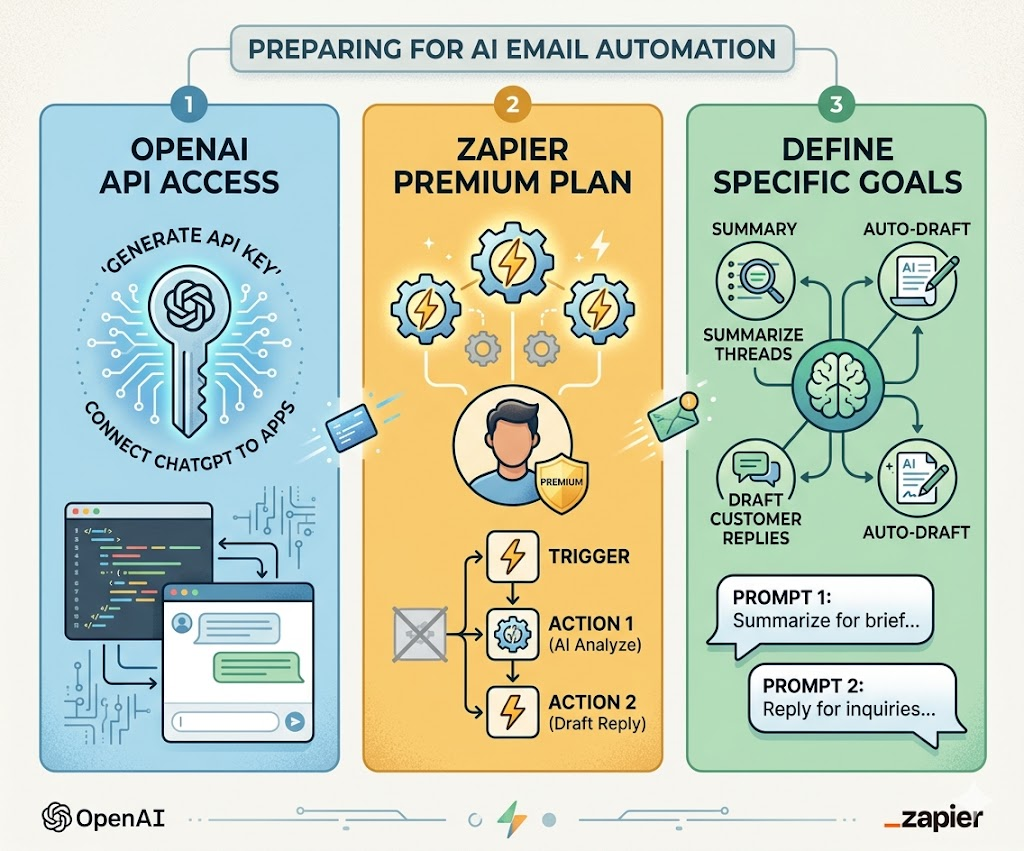
Step 1: Preparing Your Automation Stack
Before you can successfully automate email inbox using ChatGPT and Zapier, you need to ensure your tools are ready.
- OpenAI API Access: You will need an API key from OpenAI. Unlike the standard ChatGPT interface, the API allows third-party apps like Zapier to send and receive data programmatically.
- Zapier Premium: Since multi-step “Zaps” are usually required for complex email handling, a paid Zapier plan is recommended.
- Specific Goals: Are you looking to summarize long threads? Or do you want to auto-draft replies for customer inquiries? Knowing your goal helps in writing the perfect prompt.

Step 2: Setting the Gmail Trigger
The first step in your journey to automate email inbox using ChatGPT and Zapier is defining the trigger. In Zapier, a trigger is an event that starts the automation.
For email automation, you should select “New Email” in Gmail as the trigger. To make this even more efficient, use the “New Email Matching Search” option. This ensures that the AI doesn’t waste its processing power on junk mail or social media notifications. You can set it to only trigger for emails labeled “Inquiry” or those coming from your most important clients.
Step 3: Leveraging ChatGPT for Contextual Intelligence
Once the email is captured by Zapier, it’s sent to ChatGPT. This is the core stage where you automate email inbox using ChatGPT and Zapier. You must configure the “Action” step by choosing OpenAI and the “Send Prompt” event.
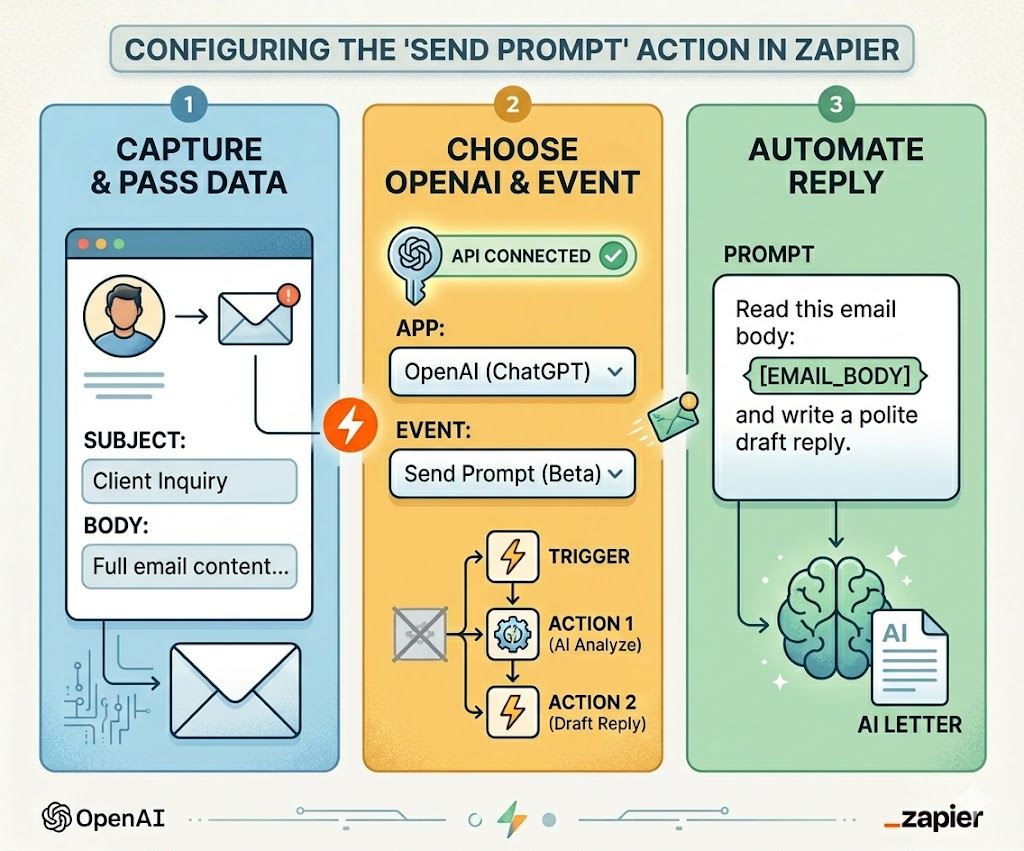
The secret to a successful automation lies in the prompt. Instead of a simple “Reply to this,” use a detailed prompt like:
“Analyze the following email body for tone and intent. If the sender is asking for a meeting, suggest Friday at 3 PM. If they are asking for pricing, refer to our standard catalog. Provide a professional draft that sounds human and empathetic.”
By providing this level of detail, you ensure that when you automate email inbox using ChatGPT and Zapier, the output is high-quality and requires minimal editing.
Step 4: Closing the Loop with Automated Actions
After ChatGPT generates the response or summary, Zapier needs to send that data back to your email provider. The most effective way to automate email inbox using ChatGPT and Zapier without losing the human touch is to use the “Create Draft” action in Gmail.
Instead of sending the email automatically—which can be risky—the AI places a perfectly written reply in your drafts folder. All you have to do is review it, make any necessary personal touches, and hit send. This hybrid approach is why so many US-based professionals are choosing to automate email inbox using ChatGPT and Zapier.
Advanced Use Cases for Professionals
1.Lead Categorization and Scoring
If you run a service-based business, you can automate email inbox using ChatGPT and Zapier to score leads. ChatGPT can read an incoming inquiry, determine if the lead is “Hot” or “Cold” based on their questions, and then Zapier can add that lead directly into your CRM like HubSpot or Salesforce with a priority tag.
2. Multi-Language Support
For businesses dealing with international clients, you can automate email inbox using ChatGPT and Zapier to translate incoming emails instantly. ChatGPT can detect the language, translate it for you, and even draft a reply in the sender’s native tongue, ensuring no communication barriers exist.
3. Sentiment Analysis for Customer Support
Customer satisfaction is critical. You can automate email inbox using ChatGPT and Zapier to detect “Frustrated” or “Angry” sentiments in real-time. When such an email arrives, Zapier can trigger an immediate alert to your Slack or Microsoft Teams channel, allowing you to prioritize the resolution of that specific issue.
Security and Best Practices
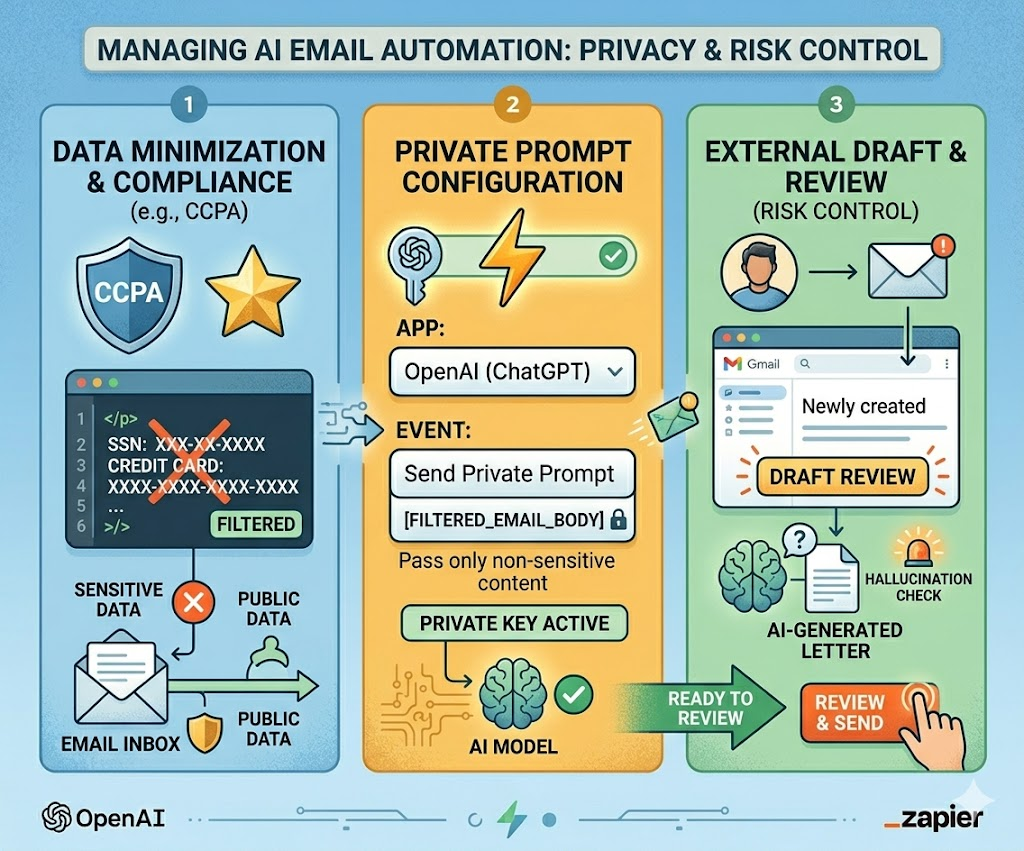
While the desire to automate email inbox using ChatGPT and Zapier is strong, one must never ignore data privacy. In the US, compliance with regulations like CCPA is vital. Ensure that you are not passing highly sensitive data like social security numbers or credit card details through the automation. Always use the “Draft” function for external communications to ensure that an AI “hallucination” never reaches a client’s eyes.
Conclusion: Reclaiming Your Productivity
Learning how to automate email inbox using ChatGPT and Zapier is no longer a luxury—it is a necessity for anyone looking to scale their productivity in 2026. By offloading the repetitive task of reading and sorting emails to AI, you free up hours of your day for deep work and strategic thinking.
The initial setup might take some trial and error with prompt engineering, but the ROI (Return on Investment) in terms of time saved is unparalleled. Start small, refine your prompts, and soon you will have a self-managing inbox that works while you sleep. If you are ready to take control of your digital life, now is the time to automate email inbox using ChatGPT and Zapier.
Also Read:- How to Travel San Francisco in 2 Days: The Perfect 48-Hour Itinerary
Also Read:- Best AI Video Generators 2026: Top 7 Tools for Small Business Owners